
Intro #
On my StarFive VisionFive 2 I always used an AMD graphics card, see my posts about Debian Trixie with an AMDGPU and Half-Life 1. The same as in my last post on the Milk-V Jupiter, where Half-Life 2 runs native on RISC-V with an AMD Radeon R9 290.
After that post I got a question: “Can you also run it on the onboard GPU of the Jupiter (SpacemiT K1)?”. Good question! So I started searching, but for the GPU of the K1 I could find almost nothing upstream. Only a few pull requests, nothing that I could use.
But I knew the JH7110 (the SoC of the VisionFive 2) was further along. The display driver is on the mailing list, and the GPU (PowerVR BXE-4-32) already has a driver in Mesa. So let’s try that board first!
Setup #
The same setup as with the Jupiter: a smart-plug (Home Assistant), a USB to serial and an HDMI capture card. So Claude can power the board on and off, read the serial console and see the screen. The board runs Debian 13 (Trixie) with KDE Plasma.
The rules for Claude:
- A mainline kernel with a patch series, and a Makefile that builds
.debpackages.
Step 1: Kernel 7.4-rc1 with the patches from the mailing list #
On the mailing list there are two patch series from Michal Wilczynski (Samsung):
- phy: Add the StarFive JH7110 Innosilicon HDMI PHY (v7)
- drm: starfive: jh7110: Enable display subsystem (v7)
These are made for 7.4-rc1, so I used that kernel. All 24 patches applied without problems. The kernel booted and… HDMI works! KDE Plasma on the screen.
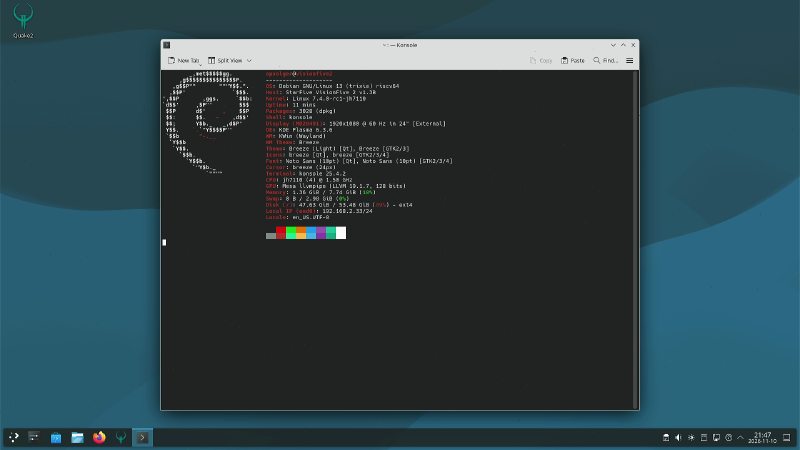
But look at the GPU line: llvmpipe. That is software rendering on the CPU. These patches are only for the display, not for the GPU. So a picture, but no hardware acceleration :(
Step 2: The GPU, 2 to 5 fps #
So I searched again, and found the work of domibel (Dominique Belhachemi). He already got the BXE-4-32 working on a mainline kernel:
- Guide: domibel/visionfive2_gpu_bringup
- Kernel: domibel/linux (branch
powervr_on_jh7110_visionfive2_v7.3-rc5)
His branch has the GPU node for the device tree, some fixes for the drm/imagination driver and the XPbmtUC patches from Bo Gan (the JH7110 is not cache-coherent, so it needs a trick to get uncached memory). Claude put these patches on top of 7.4-rc1. There were some conflicts, because 7.4 changed some code, but after that it booted with the firmware loaded:
powervr 18000000.gpu: loaded firmware powervr/rogue_36.50.54.182_v1.fwThe Mesa of Debian 13 is too old for this GPU, so Claude cross-compiled Mesa 26.3 (in a Docker container) and installed it in /opt. That way the Debian Mesa stays untouched. Vulkan works on the PowerVR driver, and OpenGL goes through Zink (OpenGL on top of Vulkan). KDE Plasma now runs on the GPU!
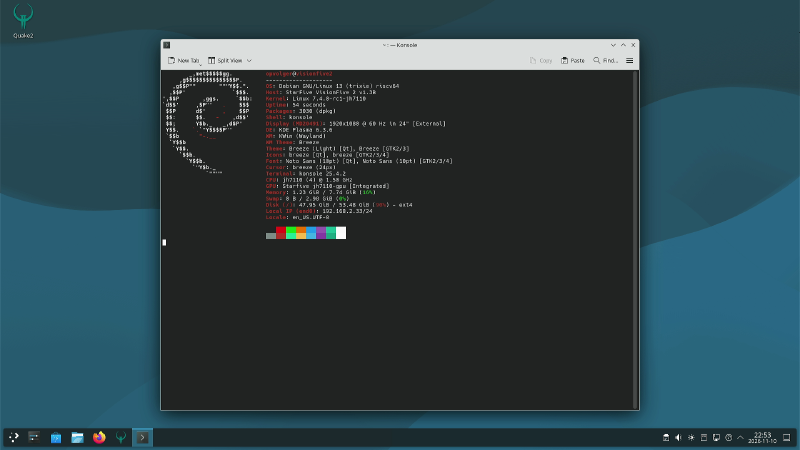
The GPU line now says Starfive jh7110-gpu. Next: Half-Life 2!
The DXVK (Vulkan) build of my last post needs Vulkan 1.3, this driver only has 1.2. So the OpenGL build (ToGL). It started, but hung on the loading screen. After a lot of debugging (gdb, strace) Claude found it: Mesa made a new “render target dataset” on every render pass, and the 16 MB firmware heap of the GPU was full. A Mesa patch to share these datasets fixed that. One more patch for a double free (crash after ~15 minutes), and then:
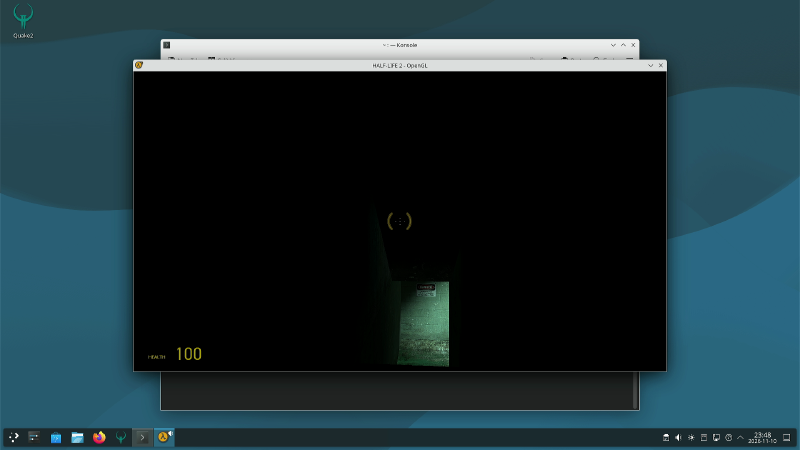
Half-Life 2 on the onboard GPU! But… 2 fps. A slideshow.
With some more patches (no CPU conversion of vertex data, no bounds check on every buffer access) and without the KDE compositor, it went to around 5 fps. Still not playable. When we measured it, the GPU and the CPU were taking turns: the GPU was waiting for the CPU, and the CPU was waiting for the GPU. Most of the time the system did nothing.
Step 3: The vendor kernel, 53 fps #
So let’s try what StarFive gives us: the vendor kernel with the closed driver of Imagination.
- Kernel: starfive-tech/linux branch
JH7110_VisionFive2_6.12.y_devel - GPU blobs: starfive-tech/soft_3rdpart (
IMG_GPU) - Mesa 22.1.3 with the patches from StarFive’s buildroot (a
pvrGallium driver on top of the closed driver)
This also needed a lot of patches. The vendor kernel did not build with GCC 16 and make 4.4, the old Mesa needed 62 patches from buildroot, and the closed driver only has OpenGL ES (no desktop OpenGL). So the Half-Life 2 build had to be the GLES version (--togles), and KDE had to use OpenGL ES too.
But the result:
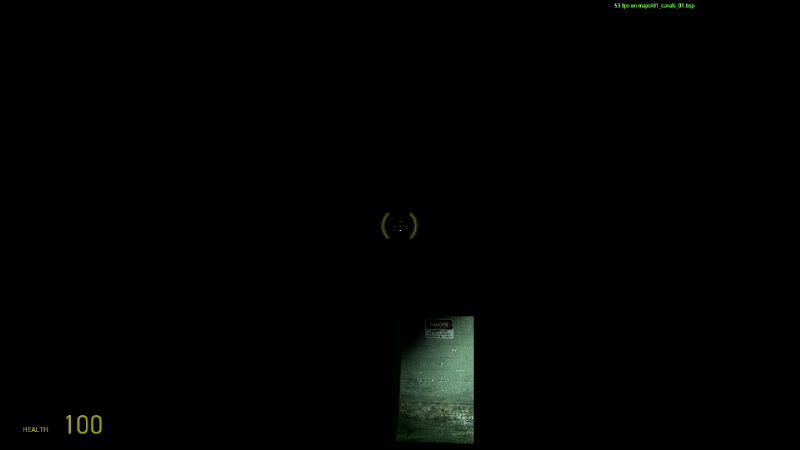
53 fps at the same place where the open driver did 3.5 fps! The closed driver has a mature shader compiler. In the next map (d1_canals_02) it was 18 fps, and the first time a map loads it takes 3 to 7 minutes (all shaders are compiled).
Nice, but I don’t want an old vendor kernel and closed blobs. I want it upstream.
Step 4: A Mesa fork, 26 to 28 fps #
So I searched some more for the upstream way. And I found the Mesa fork of ayiejosh:
This is made for another PowerVR GPU (the BXM-4-64 in the Allwinner A733), but it is the same family. It has a big series of performance patches for the PowerVR Mesa driver. Claude took patches 0001-0105, put them on Mesa main (commit 9a2b374), and added our own patches on top (the firmware heap fix was still needed).
Same kernel (7.4-rc1), only another Mesa. The result: from 4.5 fps to 28.5 fps without KDE (KMS), and about 26 fps fullscreen in KDE Plasma (1280x720). More than 6 times faster! The timedemo now also finishes (it never did before), with an average of 11.75 fps. The timedemo has a lot of heavy scenes, so in game it is better.
Not everything from the fork works: some later patches of the fork hung the board, 2 out of 2 times. So I stayed on the version that works.
| Setup | Resolution | Half-Life 2 fps |
|---|---|---|
| Kernel 7.4-rc1, display patches only (llvmpipe) | 1920x1080 (desktop only) | - |
| Kernel 7.4-rc1 + GPU patches, Mesa 26.3 (open) | 1280x720 | 2 - 5 |
| Kernel 7.4-rc1 + GPU patches, Mesa 26.3 (open) | 640x480 | 12 |
| Vendor kernel 6.12 + closed driver | 1280x720 | 18 - 53 |
| Kernel 7.4-rc1 + GPU patches, Mesa with ayiejosh fork (open) | 1280x720 | 26 - 28 |
| Kernel 7.4-rc1 + GPU patches, Mesa with ayiejosh fork (open) | 640x480 | 53 |
With the fork, 640x480 is about 2 times faster than 1280x720 (53 vs 27 fps, KDE fullscreen). So the GPU is still the limit, not the CPU.
Step 5: HDMI sound #
It plays now, but there was no sound! The mainline HDMI driver (inno-hdmi) only does video. The audio registers are there in the code, but nobody uses them, and the device tree has no HDMI sound card.
So Claude wrote 3 kernel patches for 7.4-rc1 (with the vendor driver as an example):
drm/bridge: inno-hdmi: add HDMI audio supportdrm/bridge: jh7110-inno-hdmi: enable HDMI audioriscv: dts: starfive: visionfive-2: add the HDMI sound card
Claude tested it on its own: play a tone on the board and record it with the HDMI capture card. Left and right were correct. And I also heard it on the speakers of my monitor :)
The cover of this post is from the Half-Life 2 timedemo, with the game sound over HDMI.
Video #
I also made a video of all of this:
Half-Life 2 on the onboard GPU of a RISC-V board (VisionFive 2, PowerVR)
So now? #
Half-Life 2 runs quite good on the onboard GPU of the JH7110, with an open-source stack: a mainline kernel (7.4-rc1 + patches) and Mesa (with patches). And with sound!
Not everything is perfect:
- KDE (kwin) needs
KWIN_DRM_NO_AMS=1, the atomic modeset test fails on the display driver. - The KDE compositor costs a lot of GPU time, the desktop is set to 1280x720.
- DXVK (Vulkan) still does not work, the driver misses
dualSrcBlend. - Sometimes the board hangs (watchdog reset), without a kernel message.
What I want to do next: create pull requests / issues upstream. I already filed a Mesa issue for our fixes (firmware heap, double free and vertex formats). And of course look again at the onboard GPU of the Jupiter (K1) in the future!
GitHub Repo #
- All the patches, build scripts, measurements and trial-and-error: Opvolger/linux-drm-jh7110 (see the README.md)
- Display patches (mailing list): HDMI PHY v7 and display subsystem v7
- GPU on mainline: domibel/visionfive2_gpu_bringup and domibel/linux
- Mesa issue for our fixes: pvr: Half-Life 2 with OpenGL on Zink - BXE-4-32 crashes and patches for it (#16866)
- PowerVR Mesa performance fork: ayiejosh/a733-powervr-fex
- Vendor stack: starfive-tech/linux and starfive-tech/soft_3rdpart
- Half-Life 2 (Source engine) for RISC-V: Opvolger/source-engine (feature/riscv64-support)
You need your own copy of Half-Life 2 (Steam, steam_legacy).